
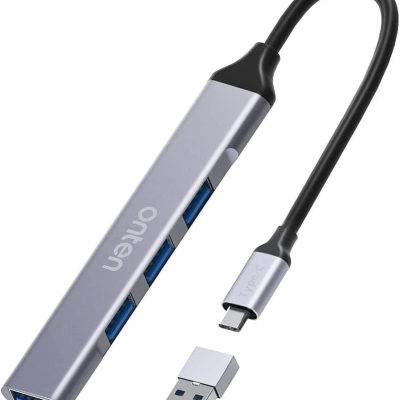
Onten UCA9701 USB-C+USB 3.0 to USB 4-Port Hub
Rated 0 out of 5
0 Reviews✨ Key Features
- Dual Compatibility
- 4 USB Ports
- High-Speed USB 3.0
- Plug-and-Play
- Slim & Portable
✨ Key Features
- Dual Compatibility
- 4 USB Ports
- High-Speed USB 3.0
- Plug-and-Play
- Slim & Portable
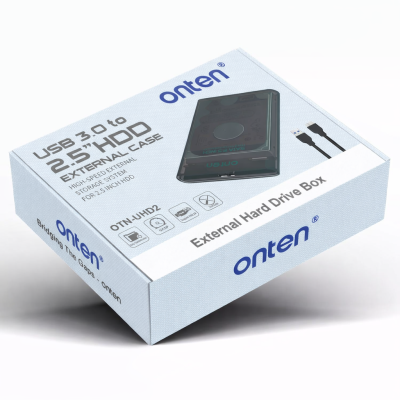
Onten UHD-2 USB 3.0 to 2.5 inch External Hard Drive Box
Rated 0 out of 5
0 ReviewsTechnical Specifications
- Model: OTN-UHD2
- Interface: USB 3.0 (Backward compatible with USB 2.0)
- Drive Support: 2.5" SATA I / II / III HDD & SSD
- Max Capacity: Up to 2TB (varies by system support)
- Transfer Speed: Up to 5Gbps
- Protocol Support: UASP (for faster read/write performance)
- Power Supply: USB powered (no external adapter required)
- Material: Durable ABS housing
Technical Specifications
- Model: OTN-UHD2
- Interface: USB 3.0 (Backward compatible with USB 2.0)
- Drive Support: 2.5" SATA I / II / III HDD & SSD
- Max Capacity: Up to 2TB (varies by system support)
- Transfer Speed: Up to 5Gbps
- Protocol Support: UASP (for faster read/write performance)
- Power Supply: USB powered (no external adapter required)
- Material: Durable ABS housing
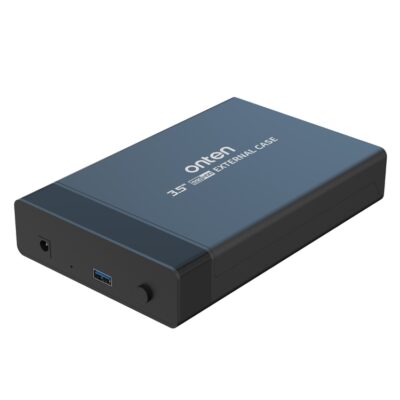
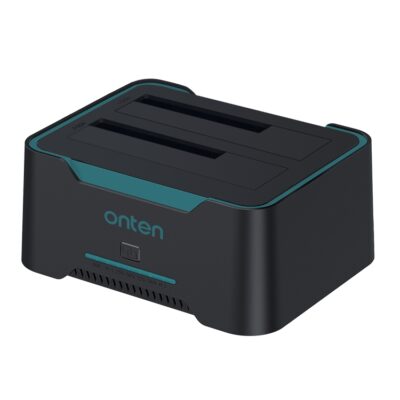
Onten UHD6 Dual Bay External Hard Drive Docking Station
Rated 0 out of 5
0 Reviews
Notice:
1. If there is information on the target disk, please back it up because all information on the target disk will be deleted after cloning.
2. The memory of the target disk must be greater than or equal to the memory of the source disk, otherwise the cloning will fail.
3. Make sure the USB cable is disconnected from any computer.
4. Do not move the hard drive or turn off the device during the cloning process.
5. Press and hold the clone button for 3-6 seconds until the indicator light turns on to start the cloning process.
6. For the safety of the hard disk, do not remove the hard disk when the device is powered on.
7. The cloning time depends on the hard disk memory size.
8. The hard drive may not be recognized after cloning. Please go into Computer Management - Disk Management and you will see one of them shown as offline.
9. Pay attention during the operation, because the cloning time may cause the hard disk to overheat.
Notice:
1. If there is information on the target disk, please back it up because all information on the target disk will be deleted after cloning.
2. The memory of the target disk must be greater than or equal to the memory of the source disk, otherwise the cloning will fail.
3. Make sure the USB cable is disconnected from any computer.
4. Do not move the hard drive or turn off the device during the cloning process.
5. Press and hold the clone button for 3-6 seconds until the indicator light turns on to start the cloning process.
6. For the safety of the hard disk, do not remove the hard disk when the device is powered on.
7. The cloning time depends on the hard disk memory size.
8. The hard drive may not be recognized after cloning. Please go into Computer Management - Disk Management and you will see one of them shown as offline.
9. Pay attention during the operation, because the cloning time may cause the hard disk to overheat.
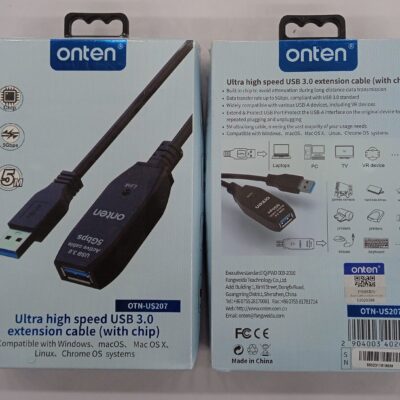
Onten Ultra High Speed USB 3.0 Extension Cable with Chip OTN-US207
Rated 0 out of 5
0 Reviews- COD Available
- Color: Black
- Call for availability
- COD Available
- Color: Black
- Call for availability
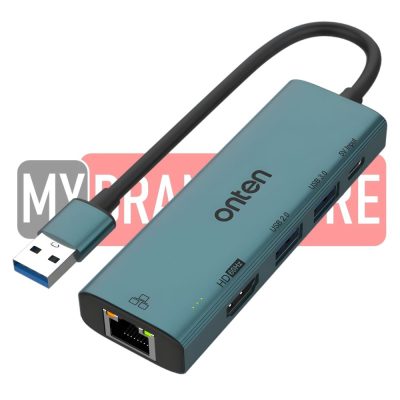
Onten US-125 USB 3.0 to HDMI Adapter with 100M Network Car (USB 3.0+USB 2.0)
Rated 0 out of 5
0 ReviewsSpecifications
- Brand: Onten
- Model: OTN-US125
- Uplink Interface: USB 3.0
- Material: Aluminum
- Cable Length: 150 mm
- Dimensions: 100×33×15 mm
- Compatibility: Windows, macOS, Linux, Android
- Included: USB-C to USB-A Adapter, Retail Color Box
- Color: Metallic Teal Blue
Specifications
- Brand: Onten
- Model: OTN-US125
- Uplink Interface: USB 3.0
- Material: Aluminum
- Cable Length: 150 mm
- Dimensions: 100×33×15 mm
- Compatibility: Windows, macOS, Linux, Android
- Included: USB-C to USB-A Adapter, Retail Color Box
- Color: Metallic Teal Blue
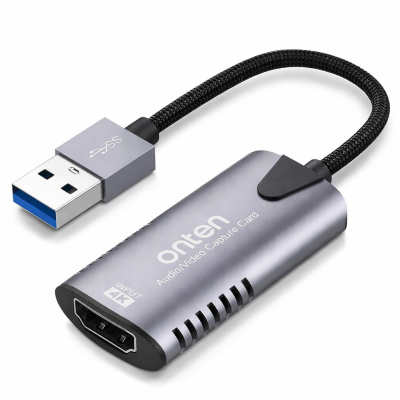
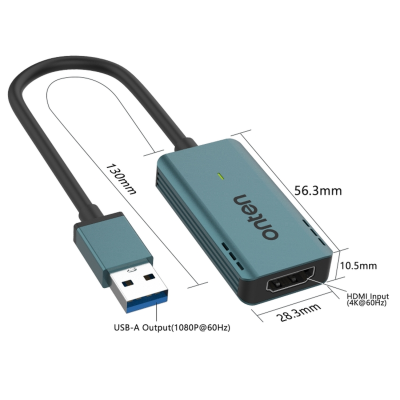
Onten US331 USB to HDMI capture card
Rated 0 out of 5
0 Reviews🔧 Technical Specifications
- Model: US331
- Input: HDMI (Up to 4K input support, 1080P capture output)
- Output: USB-A (to PC/Laptop)
- Capture Resolution: 1080P @ 60Hz
- Plug & Play: Yes
- Power: USB powered
🔧 Technical Specifications
- Model: US331
- Input: HDMI (Up to 4K input support, 1080P capture output)
- Output: USB-A (to PC/Laptop)
- Capture Resolution: 1080P @ 60Hz
- Plug & Play: Yes
- Power: USB powered
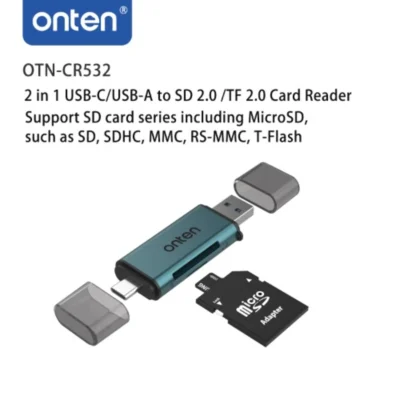
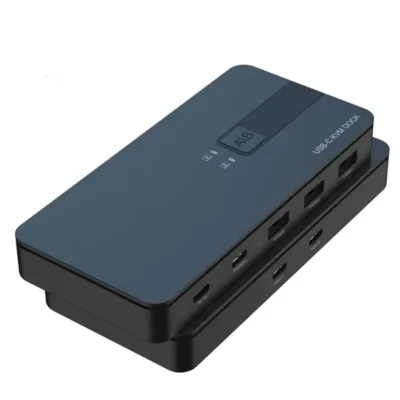
Onten USB 3.2 Gen 2 Sharing Switch 2 in 4 Out OTN-KVM200
Rated 0 out of 5
0 Reviews- Input: USB-Cx2
- Output: USB-A(10Gbps)x3, USB-C(10Gbps)x1,USB-C(5V Input)
- A/B key This key can be freely switched between host A and host B
- When switching to host A indicator A lights up. and when switching to host B, indicator B lights up
- This USB switcher 2 computer is equipped with 4 USB 3.2 Gen 2 ports and speeds up to 10Gbps
- Supports 2 computers sharing 4 USB devices like keyboard mouse printer and external hard drive
- Switch freely between your work computer and personal computer and boost your work efficiency
- Input: USB-Cx2
- Output: USB-A(10Gbps)x3, USB-C(10Gbps)x1,USB-C(5V Input)
- A/B key This key can be freely switched between host A and host B
- When switching to host A indicator A lights up. and when switching to host B, indicator B lights up
- This USB switcher 2 computer is equipped with 4 USB 3.2 Gen 2 ports and speeds up to 10Gbps
- Supports 2 computers sharing 4 USB devices like keyboard mouse printer and external hard drive
- Switch freely between your work computer and personal computer and boost your work efficiency